Welcome to Super MarioJr. Blog!

Welcome to the Super MarioJr. Blog... where I make posts about everything Nintendo!

If you want to know how to comment, click here.

For first time users, please click here.

If your looking for the tech support blog, click here.
Showing posts with label Nintendo Firmware Updates. Show all posts

Tuesday, August 4, 2009

Nintendo DSi System Update: 1.4

DSi Update

The highly-anticipated firmware update is finally here! First announced in E3, this version promises to let you upload your pictures taken out of your Nintendo DSi Camera and its lens directly to Facebook via Facebook Connect.

This version includes the following:

DSiWare:

  • The ability to upload your picture to Facebook via Facebook Connect.
  • Faster image display when taking and viewing pictures.

Hacking Solutions:

  • All of the latest DSi-compatible flash cards will be unavailable to work using their current firmware update and with this firmware update.

DSi Shop:

  • This update will be required in order to use the Nintendo DSi Shop.

Estimated time: 2:34 (depends on your internet connection).

To learn about Facebook Connect for the Nintendo DSi (Nintendo DSi System Update 1.4, go to: http://www.nintendo.com/consumer/systems/dsi/en_na/settingsSystemUpdate.jsp

Thursday, July 16, 2009

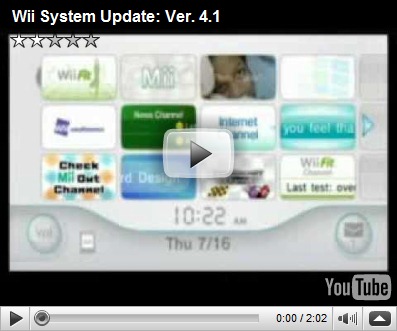
Wii System Update: 4.1

Wii Update

An update from Nintendo has arrived. Version 4.1. This is a small update that fixes some changes for better system performance. The changes are:

Accessory Updates:

  • A bug has been fixed so that you are not forced to watch the “how to use MotionPlus” tutorial when you open a Wii Channel, WiiWare game, or Virtual Console title via SD Card Menu.

Despite the fact that Nintendo has said that any unauthorized materials will be removed, the system update actually leaves the homebrew software alone. However, please note that if you have any homebrew materials installed, you may not be able to access the Wii Options menu and eventually you may not be able to access your Wii at all.

I advise you to either avoid 4.1 until the homebrew community can find a work around (this applies if you have the homebrew channel installed or you wish to install the homebrew channel) or do not install the homebrew channel.

Estimated time: 23 sec. (If you have System Update 4.0), (depends on your internet connection).

To learn more about Wii System Update 4.1, go to:

http://www.nintendo.com/consumer/systems/wii/en_na/systemMenuFeatures.jsp


Wii System Update: Ver. 4.1

Saturday, March 28, 2009

Wii System Update: 4.0

Wii Update

The moment that you have FINALLY been waiting for hardcore Nintendo fans (and medicore and casuals alike)… Wii System Update Version 4.0! This anticipating update has the following:

Wii Channels:

  • The ability to play games directly from the SD/SDHC Card.
  • The ability to now “Move” Wii Channels and Saved Data from the Wii System Memory to the SD/SDHC Card and vice versa in Data Management.
  • Photo Channel has changed from 1.1-a to 1.1-b.
  • The Wii Speak Channel has been updated.

Hacking Solutions:

  • Successfully removes the Twilight Hack
  • Successfully fixes the bug used for the Homebrew Channel Installer.
  • Added the following ISOs: 38, 53, 55, 60, and 61.
  • Patched the following ISOs: 16.

Accessory Updates:

  • The Wii now has the ability to use SDHC Cards. The maximum capacity is 32 GB. (Please note that regular SD Cards with a capacity of 2 GB and SDHC Cards higher then 32 GB will likely not work).
  • There is now an SD Card Menu where you can boot WiiWare titles, Virtual Console games, and Wii Channels from a SD/SDHC Card.

Wii Shop Channel:

  • The ability to download WiiWare titles, Virtual Console games, and Wii Channels directly to your SD/SDHC Card.
  • If you click on the “Add Wii Points” section of the Wii Shop Channel, instead of it saying “Wii Points”, it’s now called “Nintendo Points”.
  • Virtual Console Arcade is now available.

To learn more about Wii System Update 4.0’s main features, go to:

http://www.nintendo.com/wii/menuupdate